
-17%3
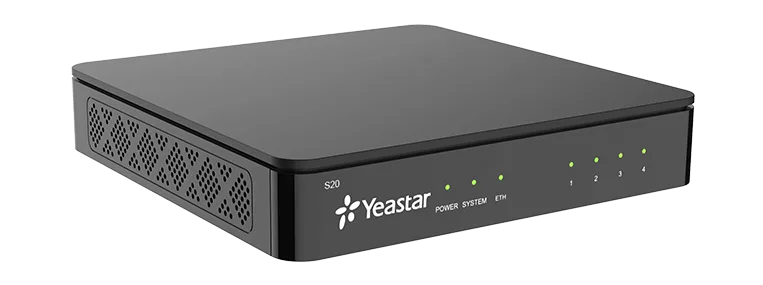
Yeastar S20 IP PBX
Model: S20
More from Yeastar — IP PBX SystemsBefore discount9,000 EGP
After discount7,000 EGP-22%
You save 2,000 EGP
A compact and reliable IP PBX system designed for small businesses, providing efficient call management, seamless communication, and flexible telephony features.
Quantity
- Quote on request
- Site survey & design
- Professional installation
- Technical support
Yeastar S20 IP PBX — Specifications
| Users | 20 |
|---|---|
| Concurrent Calls | 10 |
| Max FXO/BRI Ports | 4 |
| Max FXS Ports | 4 |
| Max 3G/4G Ports | 1 |
How to connect
Connection diagram and installation steps.
- 1Mount the Yeastar S20 in a suitable location.
- 2Connect the device to the power supply.
- 3Connect the LAN port to the network switch.
- 4Connect supported IP phones to the same network.
- 5Access the PBX web management interface.
- 6Configure the network settings and IP address.
- 7Create user extensions and assign extension numbers.
- 8Configure SIP trunks for external calls.
- 9Set up inbound and outbound call routes.
- 10Configure voicemail, call forwarding, and other call features.
- 11Register IP phones using their assigned SIP credentials.
- 12Test internal and external calls to verify proper operation.
Overview
The Yeastar S20 IP PBX is a compact business telephone system designed for small offices and businesses. It supports VoIP communication, call routing, extension management, voicemail, call forwarding, and other advanced telephony features. It provides an easy-to-manage communication solution with flexible connectivity and reliable performance.
Request a Quote
Tell us what you need and our team will reply with availability and pricing.